- WordPress starts ahead. Its default output is server-rendered HTML — exactly what AI crawlers need. Most WordPress GEO problems come from page-builder bloat and JavaScript-only widgets, not from WordPress.
- Your SEO plugin already covers most schema. Yoast builds a connected graph automatically; Rank Math and AIOSEO ship configurable schema types including FAQ blocks.12
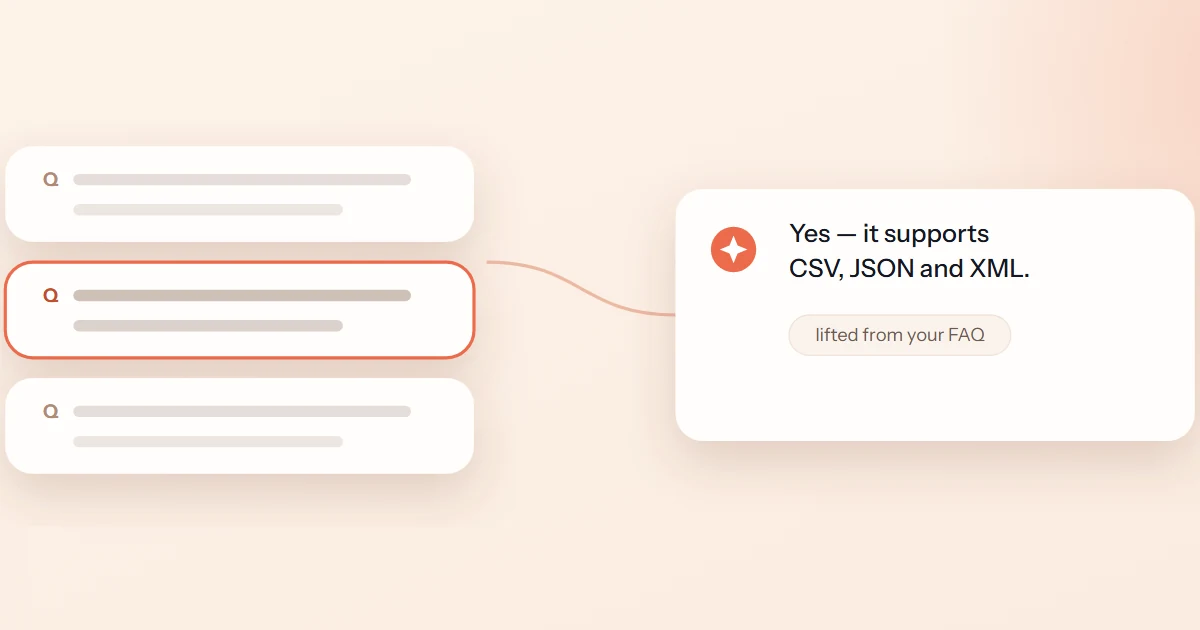
- FAQ rich results are gone from Google Search (fully dropped May 2026)5 — but visible Q&A still gets lifted into AI answers, so write FAQs for extraction, not for a vanished SERP feature.
- llms.txt is one toggle away — Yoast (since 25.3, June 2025), Rank Math's module, or a dedicated plugin.34 Ship it with honest expectations.
Somewhere around 2025, WordPress owners started asking a nervous question: do I need to rebuild my site for AI search? The honest answer is no — and it's worth saying plainly, because an industry has formed around implying yes.
Generative engines reward the same fundamentals on WordPress as anywhere else: pages a crawler can read, facts a machine can parse, and content specific enough to quote. WordPress happens to be good at the first one out of the box, and has mature plugins for the second. What follows is the whole setup — rendering, schema, crawler access, llms.txt, and page structure — plus the list of things you can safely ignore.
Rendering: WordPress starts ahead — don't throw it away
Classic themes and block themes both render your content into complete HTML on the server. That matters more than any plugin, because many AI crawlers don't execute JavaScript — what's not in the initial HTML may as well not exist. (The full story is in JavaScript, rendering, and why AI crawlers miss your content.) A stock WordPress install passes this test without trying.
The ways WordPress sites lose that head start are self-inflicted:
- Page-builder bloat. Builders like Elementor and Divi still render server-side, but they can wrap a two-sentence claim in dozens of nested divs. Extraction survives bloat worse than you'd hope — the signal-to-markup ratio drops, and your key sentence sits a long way from anything that identifies it.
- JavaScript-only widgets. Tabs, accordions, sliders and popup builders that inject content on interaction. If your pricing or specs live behind a click, a crawler reading raw HTML may never see them.
- Facts trapped in images. Comparison tables exported as PNGs, spec sheets as embedded PDFs. Models quote text, not screenshots.
The test takes one minute: open a key page, hit view-source, and search for the sentence you'd want an AI to quote. If it's there in plain text, your rendering is fine. If it isn't, that's your first fix — before any file or plugin. Our free page checker runs this audit (and a dozen others) on any URL.
Schema: use the plugin you already have
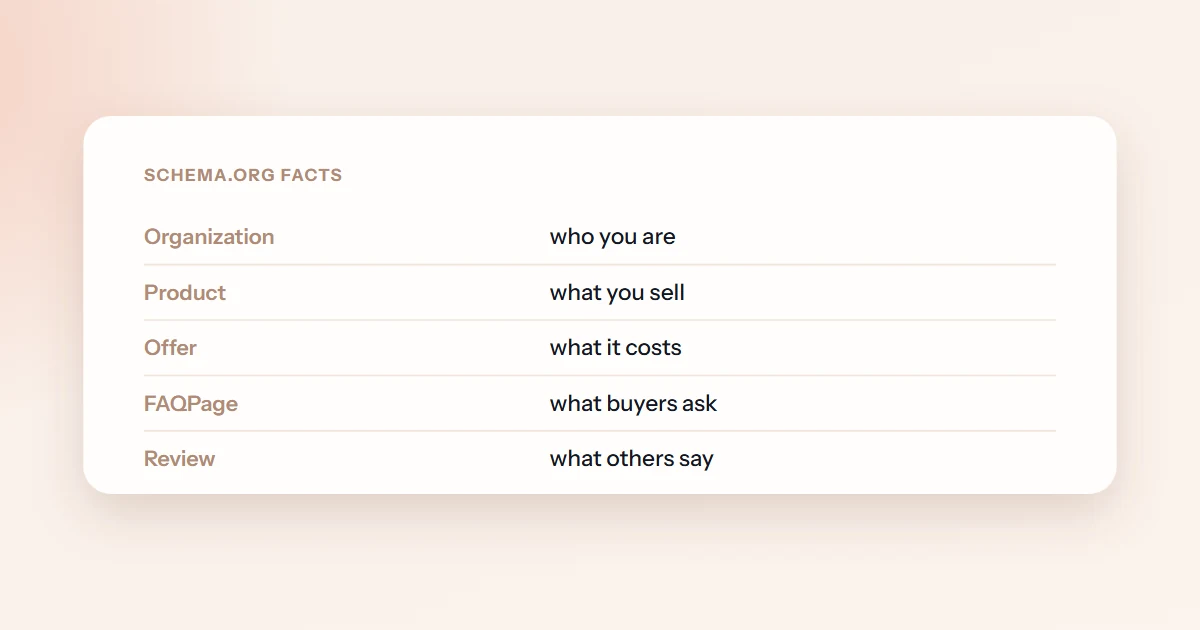
Structured data makes your facts machine-legible — what it does and doesn't do for LLM visibility is its own post. On WordPress, the practical question is which plugin emits it, and the honest answer is that all three major SEO plugins cover the common cases:
| Plugin | What you get for schema | Worth knowing |
|---|---|---|
| Yoast SEO | A connected graph out of the box — Organization, WebSite, WebPage, Article, breadcrumbs — with almost no configuration, plus FAQ and HowTo blocks for the editor1 | The "it just works" option; less control over exotic types |
| Rank Math | Configurable schema types (Article, FAQ, Product, and more) in the free tier, with an FAQ block that renders visible Q&A and emits FAQPage schema in one step2 | More knobs; Pro adds a custom schema builder |
| All in One SEO | A schema generator with preset types configured per page or site-wide | Comparable coverage; pick it if you already run it |
Any of the three is enough. Switching SEO plugins for marginally different schema output is almost never worth the migration risk — configure the one you have properly instead. For types they don't cover, or for pages outside WordPress, our free schema generator builds Product, FAQ, Organization and Article JSON-LD you can paste into a Custom HTML block.
One update matters here. Google stopped showing FAQ rich results entirely in May 2026, after restricting them to government and health sites back in 2023.56 So if FAQ schema was your rich-snippet play, that prize no longer exists. The GEO reason to keep writing Q&A is different and still standing: assistants lift visible, direct question-and-answer pairs into their responses, and the schema hands them those pairs cleanly. Write FAQ content for the answer, not the rich result.
Run any page through the free checker — it audits rendering, structured data, answer-first structure and crawler access, and scores what an AI engine can actually extract from the page.
Audit a page freerobots.txt: decide who reads you — then verify it
WordPress serves a virtual robots.txt — there's no physical file until you or a plugin creates one. Both Yoast (Tools → File editor) and Rank Math include an editor for it, no FTP required.78
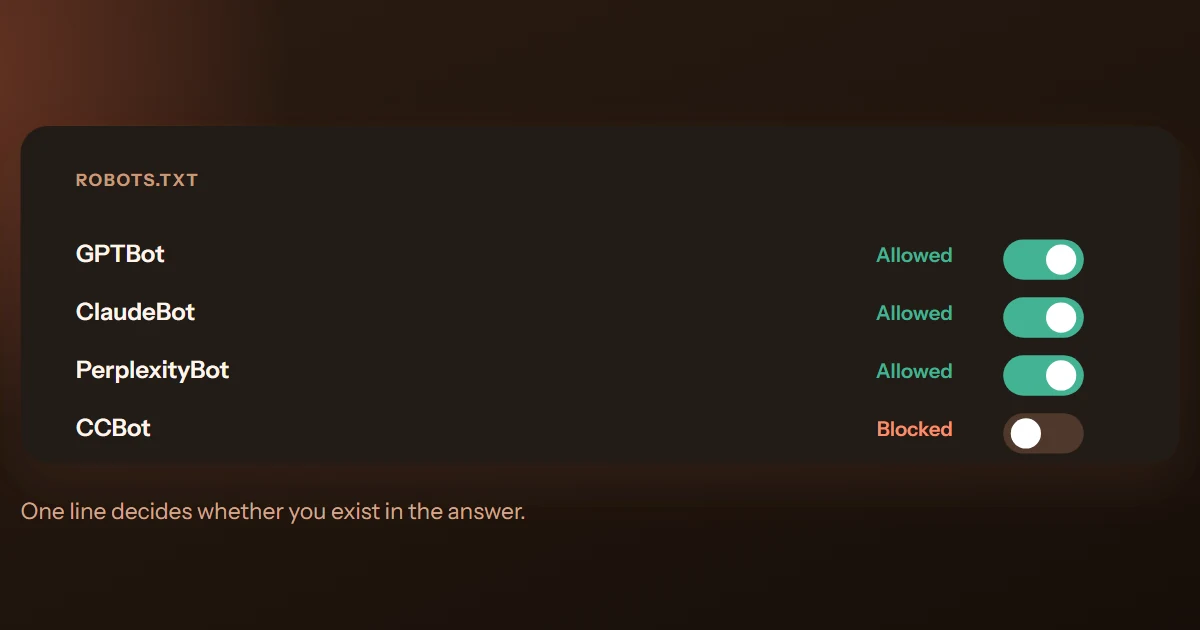
What to put in it is a policy decision, not a technicality: each AI crawler you block trades protection for absence, and each one feeds a different system — training corpora, search indexes, or live page fetches. The per-crawler breakdown (GPTBot, OAI-SearchBot, ClaudeBot, Google-Extended and the rest, and what blocking each costs) is in our AI crawler guide. The short version for most brands that want to be found: allow the retrieval crawlers, decide deliberately on the training ones.
Then verify — because robots.txt isn't the whole story on WordPress. Your host, CDN or firewall can block AI crawlers at a layer above WordPress entirely, and some do by default — Cloudflare has blocked known AI crawlers by default for new domains since July 2025.11 A robots.txt that says "welcome" means nothing if the WAF in front of it says 403. The free AI access checker probes your site as each major crawler and shows you the verdict per user agent, including blocks that never appear in any WordPress setting.
llms.txt: one toggle, honest expectations
WordPress makes llms.txt almost free to ship:
- Yoast SEO has generated one automatically since version 25.3 (June 2025), with manual page selection added later.3
- Rank Math ships an LLMs.txt module you enable from its dashboard.4
- Website LLMs.txt is a dedicated plugin that builds the file from your published content and respects your SEO plugin's noindex settings.9
- Prefer curating by hand? Our free generator builds the file from the pages you choose, and you upload it once.
Calibrate expectations before you flip the toggle: as of August 2026, no major AI engine documents consuming llms.txt, and log studies show most published files are never requested at all. The full evidence — server-log data, engine documentation, and the ten-minutes-not-a-strategy verdict — is in Does llms.txt actually work?. On WordPress the cost drops from ten minutes to one, which makes the bet even easier to take — as long as you know it's a bet.
Answer-first structure in the block editor
Everything above is plumbing. What generative engines actually quote is content — and the block editor is well suited to the shape they quote most readily:
- One H1, and the answer in the first block. Your title poses the question; your opening paragraph answers it in two or three sentences, before any wind-up. If a model reads only that block, it should have your claim.
- Headings phrased as buyer questions. H2s like "How much does X cost?" map directly onto the prompts people type into assistants — and give extraction a labeled target.
- Real table blocks for comparisons. A table block is machine-parseable; a screenshot of a table is not. Same for lists: use list blocks, not paragraphs with dashes.
- Key facts in plain paragraphs. Numbers, dates, prices and spec claims belong in text — with sources — not inside accordion plugins or tabbed widgets.
- Visible dates you actually maintain. Show the updated date, and only bump it when the content genuinely changed. Engines and readers both notice stale pages dressed as fresh ones.
That structure — not a plugin — is what turns a WordPress post into something an assistant can lift. The same pattern in more depth: FAQ content that AI engines lift straight into answers.
What not to bother with
Half of a good WordPress GEO setup is declining things. Skip these with a clear conscience:
- "AI keyword density" and AI-meta-tag plugins. There is no documented AI-visibility meta tag, and keyword repetition isn't how models choose what to repeat. This is a re-skin of tactics that stopped working in 2010.
- Chasing FAQ rich results. They no longer exist in Google Search.5 Keep the FAQ content; drop the SERP-feature expectations.
- Markdown copies of every post. If your HTML renders server-side and cleanly, duplicate .md variants add maintenance without a documented reader.
- A theme migration for GEO. If your current theme serves your content in the initial HTML, it's good enough. Spend the effort on the pages themselves.
- Blocking every AI crawler "to be safe." That's a decision to be absent from AI answers — sometimes the right call, never a default. Make it deliberately, per crawler.
Frequently asked questions
No. The work that moves AI visibility on WordPress is covered by what you likely already run: a mainstream SEO plugin for schema and robots.txt, a theme that renders server-side, and posts structured answer-first. Plugins marketed as "GEO tools" mostly repackage those basics. What no plugin can do is tell you whether it worked — that takes measurement across engines.
Not inherently — builders still render HTML on the server, which is the part that matters most. The risks are indirect: deeply nested markup that buries your claims, and tabs, sliders or popups that only reveal content via JavaScript. Keep the facts you want quoted in plain text blocks, then verify with view-source and a free page audit.
Usually it's riskier, not better. Classic WordPress gives you server-rendered HTML for free. A headless front end only matches that with careful server-side rendering — and since many AI crawlers don't execute JavaScript, a client-rendered front end can make your content invisible to exactly the systems you're optimizing for. Go headless for engineering reasons if you have them; don't go headless for GEO.
Sources & further reading
- Yoast — Schema functional specification (the auto-generated graph: Organization, WebSite, WebPage, Article and related pieces).
- Rank Math — "How to Add FAQ Schema Block Using Rank Math SEO".
- Yoast — "llms.txt — Yoast SEO features"; shipped in Yoast SEO 25.3, June 2025 (changelog).
- Rank Math — "How to Use llms.txt in Rank Math SEO".
- Search Engine Journal — "Google Drops FAQ Rich Results From Search", May 10, 2026.
- Google Search Central — "Changes to HowTo and FAQ rich results", August 2023.
- Yoast — "How to edit robots.txt through Yoast SEO".
- Rank Math — "How to Edit robots.txt with Rank Math".
- WordPress.org — "Website LLMs.txt" plugin.
- Google Search Central — "AI features and your website" — no special files or markup required for AI features.
- Cloudflare — "Content Independence Day: no AI crawl without compensation!", July 1, 2025 — AI crawlers blocked by default for new Cloudflare domains.

Technical SEO Engineer at MentionBeat. Tomas works on the crawling, rendering and structured-data layer of AI visibility — the unglamorous plumbing that decides whether engines can read what you publish at all.